
Advanced
Speculative loading for instant page transitions, and serving static assets from a CDN.
These settings apply to the whole site, so a change here is visible on every page that uses the feature. Find them under Canvas > Performance, in the Advanced tab.
The tab sits in the rail on the left of the screen, with its own panel beside it:
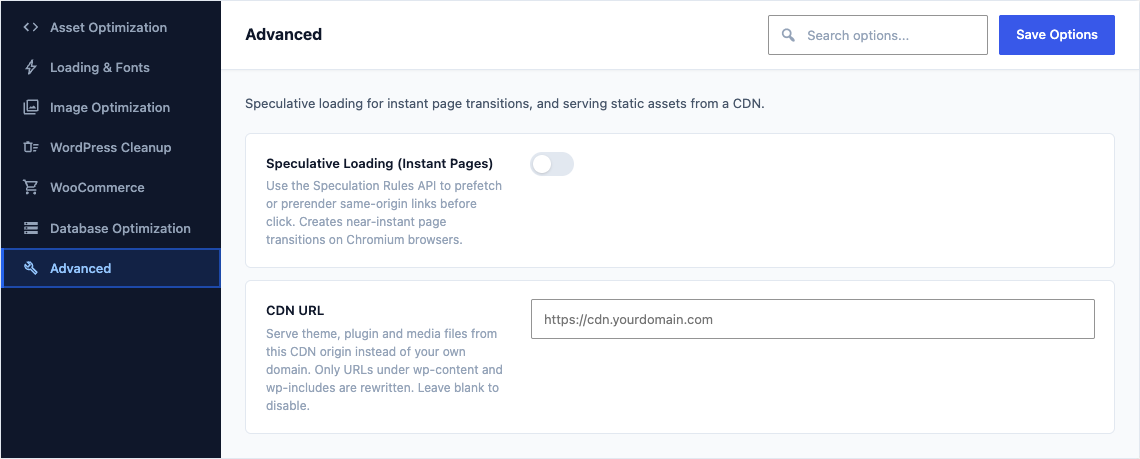
This group holds the following settings:
Speculative Loading (Instant Pages)DefaultOff
Use the Speculation Rules API to prefetch or prerender same-origin links before click. Creates near-instant page transitions on Chromium browsers.
Speculative Loading ModeDefaultPrefetch
Prefetch downloads the HTML; prerender also executes JS, giving true instant transitions.
ChoicesPrefetchPrerenderShown when Speculative Loading (Instant Pages) is on
Speculative Loading EagernessDefaultModerate
Conservative = on click; Moderate = on hover; Eager = all visible links.
ChoicesConservativeModerateEagerShown when Speculative Loading (Instant Pages) is on
CDN URLDefaultEmpty
Serve theme, plugin and media files from this CDN origin instead of your own domain. Only URLs under wp-content and wp-includes are rewritten. Leave blank to disable.