
WooCommerce
Optimize WooCommerce asset loading by removing scripts and styles on pages that don't need them.
These settings apply to the whole site, so a change here is visible on every page that uses the feature. Find them under Canvas > Performance, in the WooCommerce tab.
The tab sits in the rail on the left of the screen, with its own panel beside it:
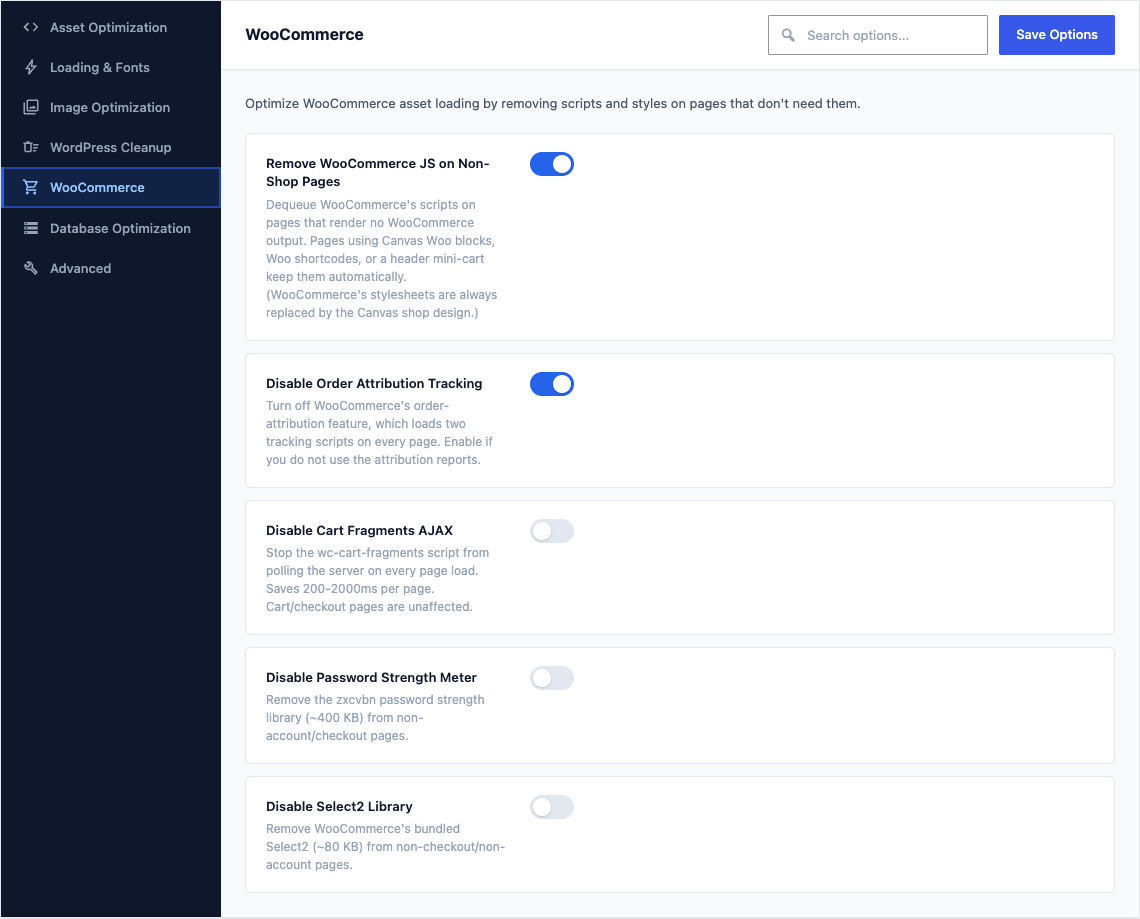
This group holds the following settings:
Remove WooCommerce JS on Non-Shop PagesDefaultOff
Dequeue WooCommerce's scripts on pages that render no WooCommerce output. Pages using Canvas Woo blocks, Woo shortcodes, or a header mini-cart keep them automatically. (WooCommerce's stylesheets are always replaced by the Canvas shop design.)
Disable Order Attribution TrackingDefaultOff
Turn off WooCommerce's order-attribution feature, which loads two tracking scripts on every page. Enable if you do not use the attribution reports.
Disable Cart Fragments AJAXDefaultOff
Stop the wc-cart-fragments script from polling the server on every page load. Saves 200-2000ms per page. Cart/checkout pages are unaffected.
Disable Password Strength MeterDefaultOff
Remove the zxcvbn password strength library (~400 KB) from non-account/checkout pages.
Disable Select2 LibraryDefaultOff
Remove WooCommerce's bundled Select2 (~80 KB) from non-checkout/non-account pages.