
Image Optimization
Control image quality, responsive image output, and the maximum dimensions of uploads.
These settings apply to the whole site, so a change here is visible on every page that uses the feature. Find them under Canvas > Performance, in the Image Optimization tab.
The tab sits in the rail on the left of the screen, with its own panel beside it:
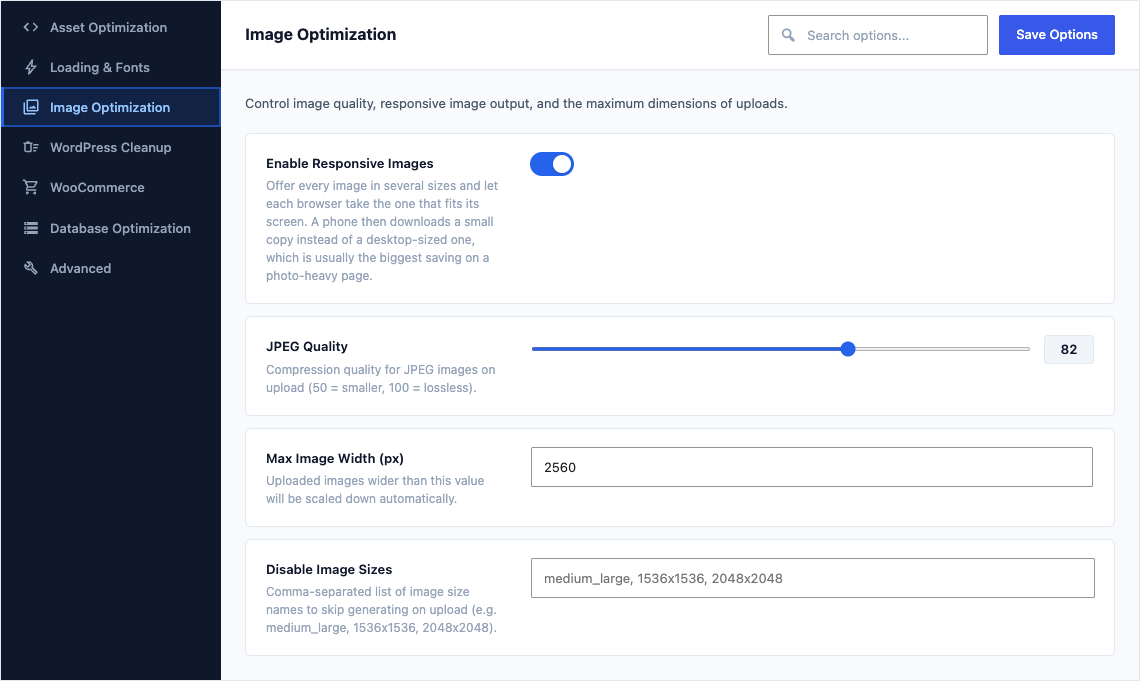
This group holds the following settings:
Enable Responsive ImagesDefaultOn
Offer every image in several sizes and let each browser take the one that fits its screen. A phone then downloads a small copy instead of a desktop-sized one, which is usually the biggest saving on a photo-heavy page.
JPEG QualityDefault
82Compression quality for JPEG images on upload (50 = smaller, 100 = lossless).
Max Image Width (px)Default
2560Uploaded images wider than this value will be scaled down automatically.
Disable Image SizesDefaultEmpty
Comma-separated list of image size names to skip generating on upload (e.g. medium_large, 1536x1536, 2048x2048).