
Advanced SEO
Canonical URLs, redirects, breadcrumbs, robots.txt, webmaster verification codes, and custom head code.
These settings apply to the whole site, so a change here is visible on every page that uses the feature. Find them under Canvas > Seo, in the Advanced SEO tab.
The tab sits in the rail on the left of the screen, with its own panel beside it:
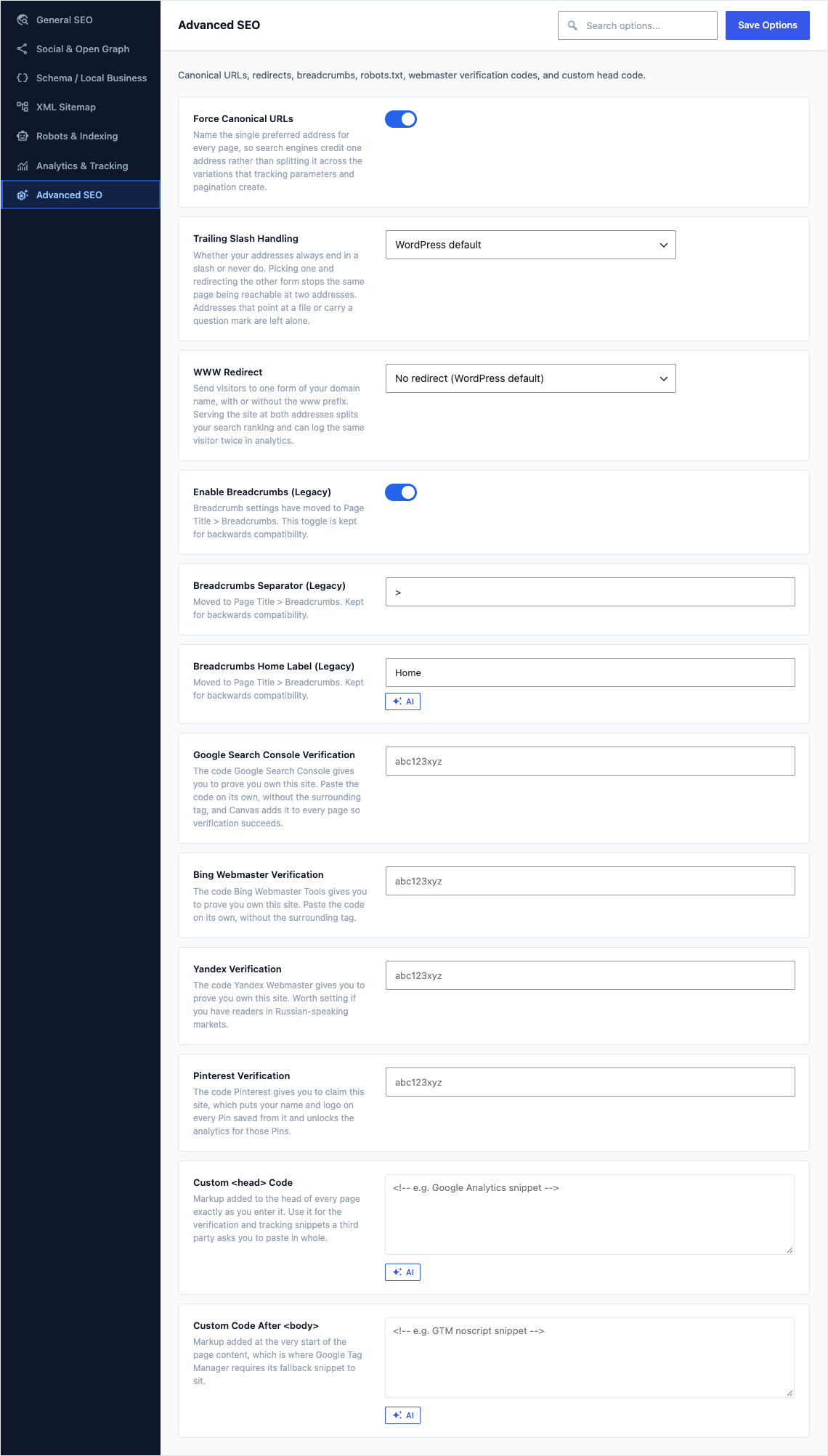
This group holds the following settings:
Force Canonical URLsDefaultOn
Name the single preferred address for every page, so search engines credit one address rather than splitting it across the variations that tracking parameters and pagination create.
Trailing Slash HandlingDefaultWordPress default
Whether your addresses always end in a slash or never do. Picking one and redirecting the other form stops the same page being reachable at two addresses. Addresses that point at a file or carry a question mark are left alone.
ChoicesWordPress defaultAlways add trailing slashAlways remove trailing slash
WWW RedirectDefaultNo redirect (WordPress default)
Send visitors to one form of your domain name, with or without the www prefix. Serving the site at both addresses splits your search ranking and can log the same visitor twice in analytics.
ChoicesNo redirect (WordPress default)Redirect to wwwRedirect to non-www
Enable Breadcrumbs (Legacy)DefaultOn
Breadcrumb settings have moved to Page Title > Breadcrumbs. This toggle is kept for backwards compatibility.
Breadcrumbs Separator (Legacy)Default
>Moved to Page Title > Breadcrumbs. Kept for backwards compatibility.
Breadcrumbs Home Label (Legacy)Default
HomeMoved to Page Title > Breadcrumbs. Kept for backwards compatibility.
Google Search Console VerificationDefaultEmpty
The code Google Search Console gives you to prove you own this site. Paste the code on its own, without the surrounding tag, and Canvas adds it to every page so verification succeeds.
Bing Webmaster VerificationDefaultEmpty
The code Bing Webmaster Tools gives you to prove you own this site. Paste the code on its own, without the surrounding tag.
Yandex VerificationDefaultEmpty
The code Yandex Webmaster gives you to prove you own this site. Worth setting if you have readers in Russian-speaking markets.
Pinterest VerificationDefaultEmpty
The code Pinterest gives you to claim this site, which puts your name and logo on every Pin saved from it and unlocks the analytics for those Pins.
Custom CodeDefaultEmpty
Markup added to the head of every page exactly as you enter it. Use it for the verification and tracking snippets a third party asks you to paste in whole.
Custom Code After DefaultEmpty
Markup added at the very start of the page content, which is where Google Tag Manager requires its fallback snippet to sit.