
Schema / Local Business
Structured data helps search engines understand your site. Fill in your business details to enable LocalBusiness schema.
These settings apply to the whole site, so a change here is visible on every page that uses the feature. Find them under Canvas > Seo, in the Schema / Local Business tab.
The tab sits in the rail on the left of the screen, with its own panel beside it:
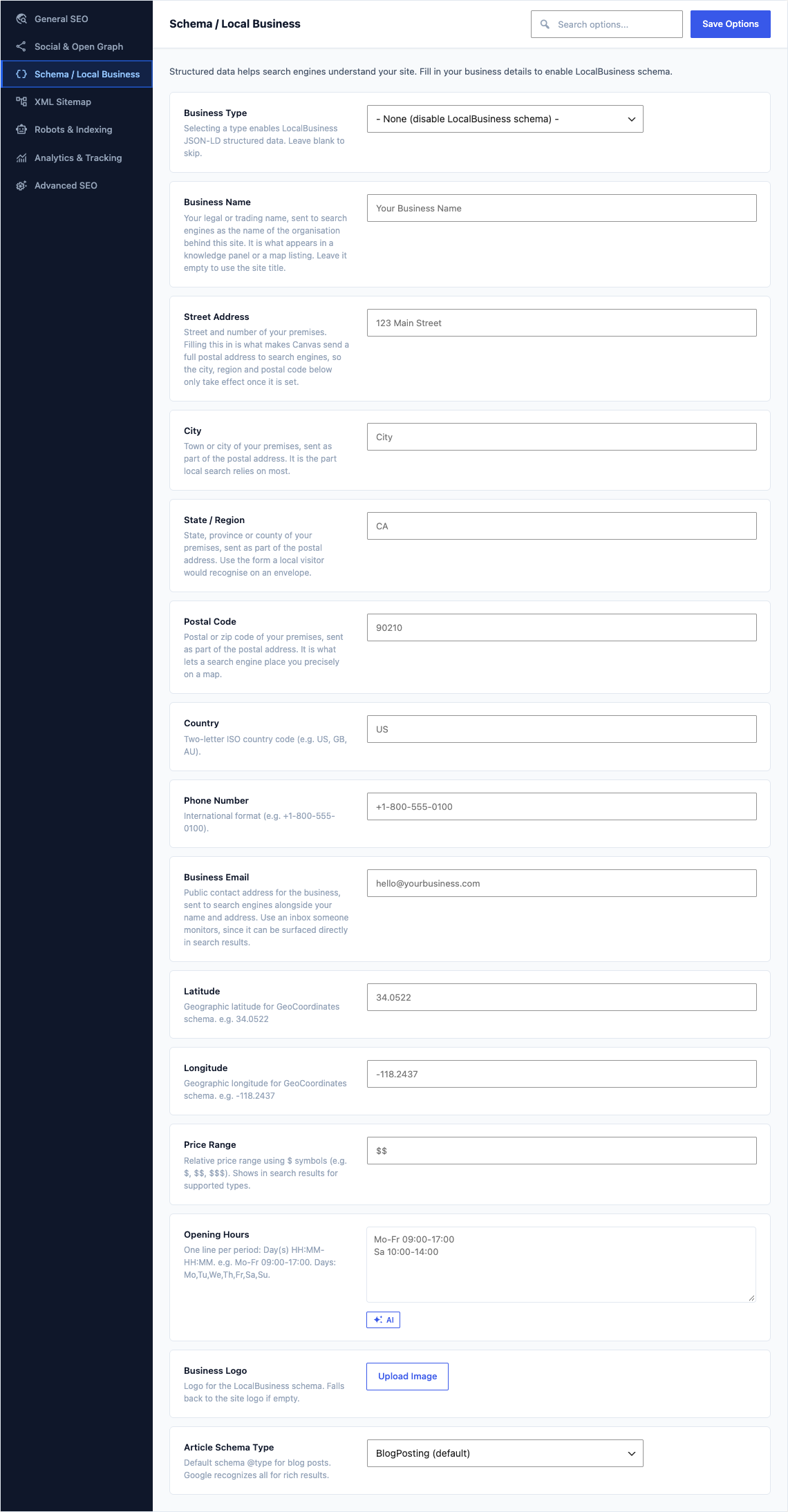
This group holds the following settings:
Business TypeDefaultEmpty
Selecting a type enables LocalBusiness JSON-LD structured data. Leave blank to skip.
Choices- None (disable LocalBusiness schema) - (empty)Local Business (generic)RestaurantHotelStore / RetailMedical / HealthLegal ServiceFinancial ServiceAutomotiveReal EstateProfessional Service
Business NameDefaultEmpty
Your legal or trading name, sent to search engines as the name of the organisation behind this site. It is what appears in a knowledge panel or a map listing. Leave it empty to use the site title.
Street AddressDefaultEmpty
Street and number of your premises. Filling this in is what makes Canvas send a full postal address to search engines, so the city, region and postal code below only take effect once it is set.
CityDefaultEmpty
Town or city of your premises, sent as part of the postal address. It is the part local search relies on most.
State / RegionDefaultEmpty
State, province or county of your premises, sent as part of the postal address. Use the form a local visitor would recognise on an envelope.
Postal CodeDefaultEmpty
Postal or zip code of your premises, sent as part of the postal address. It is what lets a search engine place you precisely on a map.
CountryDefaultEmpty
Two-letter ISO country code (e.g. US, GB, AU).
Phone NumberDefaultEmpty
International format (e.g. +1-800-555-0100).
Business EmailDefaultEmpty
Public contact address for the business, sent to search engines alongside your name and address. Use an inbox someone monitors, since it can be surfaced directly in search results.
LatitudeDefaultEmpty
Geographic latitude for GeoCoordinates schema. e.g. 34.0522
LongitudeDefaultEmpty
Geographic longitude for GeoCoordinates schema. e.g. -118.2437
Price RangeDefaultEmpty
Relative price range using $ symbols (e.g. $, $$, $$$). Shows in search results for supported types.
Opening HoursDefaultEmpty
One line per period: Day(s) HH:MM-HH:MM. e.g. Mo-Fr 09:00-17:00. Days: Mo,Tu,We,Th,Fr,Sa,Su.
Business LogoDefaultEmpty
Logo for the LocalBusiness schema. Falls back to the site logo if empty.
Article Schema TypeDefaultBlogPosting (default)
Default schema @type for blog posts. Google recognizes all for rich results.
ChoicesBlogPosting (default)NewsArticleTechArticleArticle (generic)