
Social & Open Graph
Open Graph and X Card settings for link previews on social networks.
These settings apply to the whole site, so a change here is visible on every page that uses the feature. Find them under Canvas > Seo, in the Social & Open Graph tab.
The tab sits in the rail on the left of the screen, with its own panel beside it:
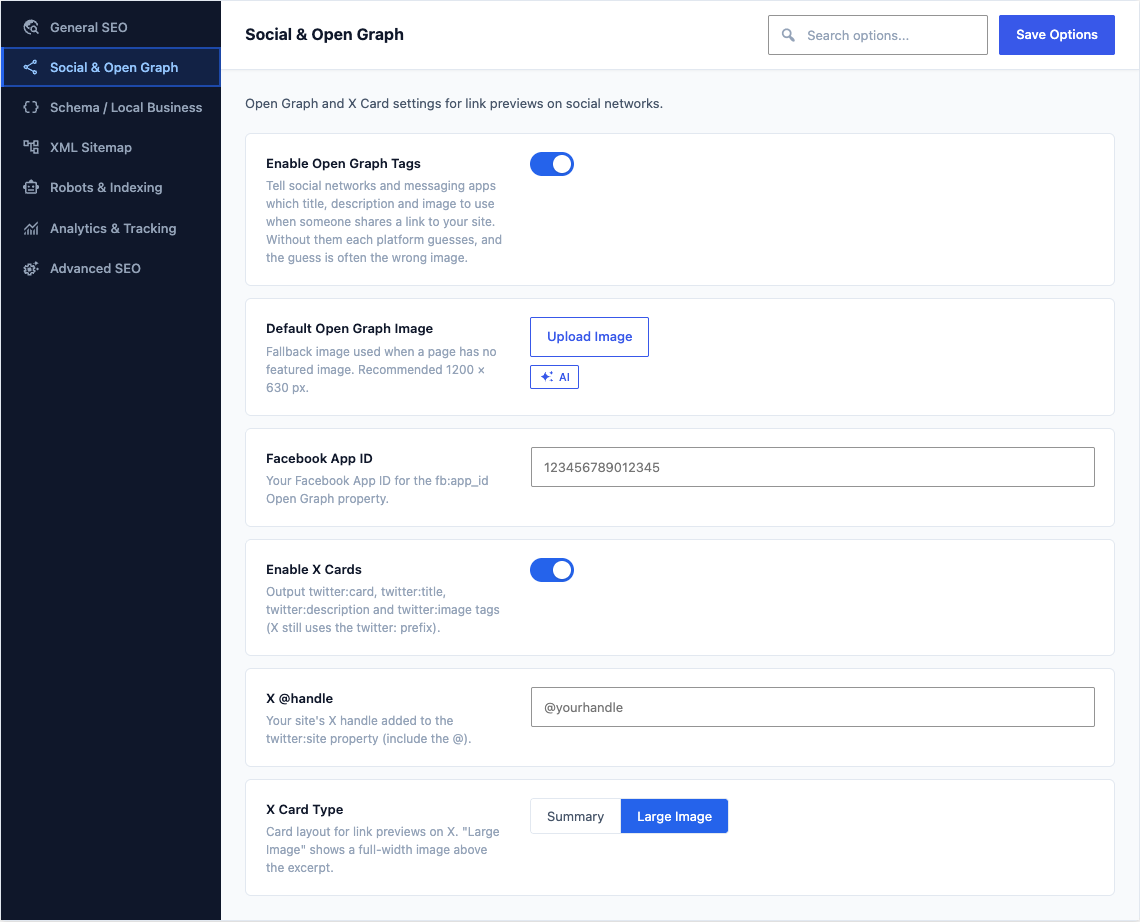
This group holds the following settings:
Enable Open Graph TagsDefaultOn
Tell social networks and messaging apps which title, description and image to use when someone shares a link to your site. Without them each platform guesses, and the guess is often the wrong image.
Default Open Graph ImageDefaultEmpty
Fallback image used when a page has no featured image. Recommended 1200 × 630 px.
Facebook App IDDefaultEmpty
Your Facebook App ID for the fb:app_id Open Graph property.
Enable X CardsDefaultOn
Output twitter:card, twitter:title, twitter:description and twitter:image tags (X still uses the twitter: prefix).
X @handleDefaultEmpty
Your site's X handle added to the twitter:site property (include the @).
X Card TypeDefaultLarge Image
Card layout for link previews on X. "Large Image" shows a full-width image above the excerpt.
ChoicesSummaryLarge Image