
Analytics & Tracking
Connect Google Analytics 4, Google Tag Manager, and Facebook Pixel without editing code.
These settings apply to the whole site, so a change here is visible on every page that uses the feature. Find them under Canvas > Seo, in the Analytics & Tracking tab.
The tab sits in the rail on the left of the screen, with its own panel beside it:
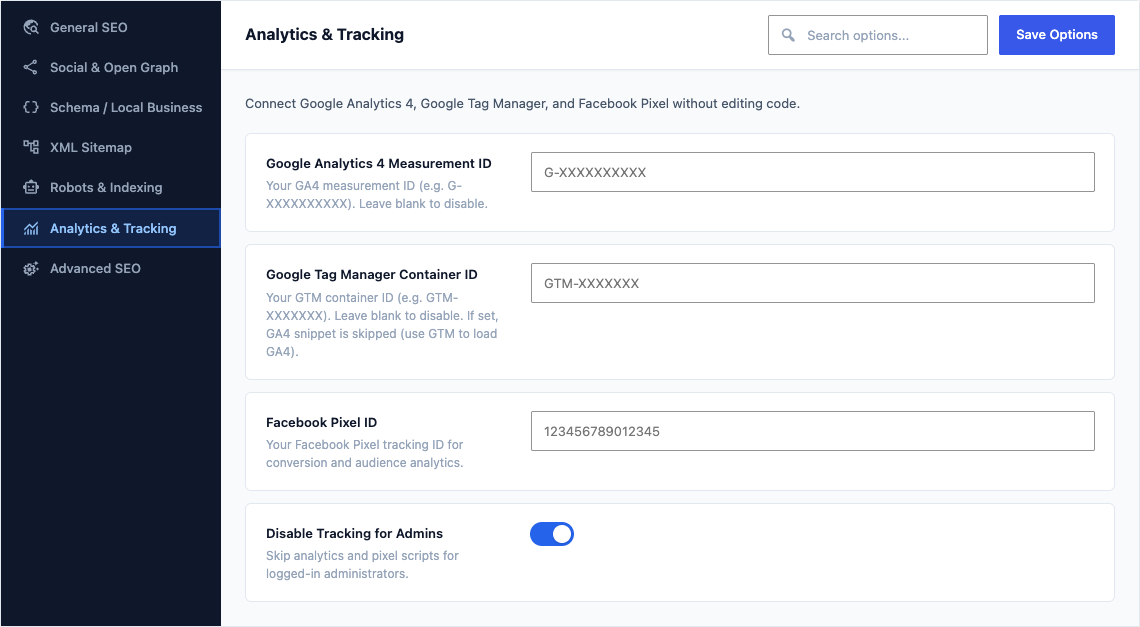
This group holds the following settings:
Google Analytics 4 Measurement IDDefaultEmpty
Your GA4 measurement ID (e.g. G-XXXXXXXXXX). Leave blank to disable.
Google Tag Manager Container IDDefaultEmpty
Your GTM container ID (e.g. GTM-XXXXXXX). Leave blank to disable. If set, GA4 snippet is skipped (use GTM to load GA4).
Facebook Pixel IDDefaultEmpty
Your Facebook Pixel tracking ID for conversion and audience analytics.
Disable Tracking for AdminsDefaultOn
Skip analytics and pixel scripts for logged-in administrators.