
Forms
Configure global form settings, spam protection, and email delivery. Create and manage forms in the block editor with the Form Field and Form Submit blocks, then embed them on any page.Manage Forms
These settings apply to the whole site, so a change here is visible on every page that uses the feature. Find them under Canvas > Theme Options, in the Forms tab.
The tab sits in the rail on the left of the screen, with its own panel beside it:
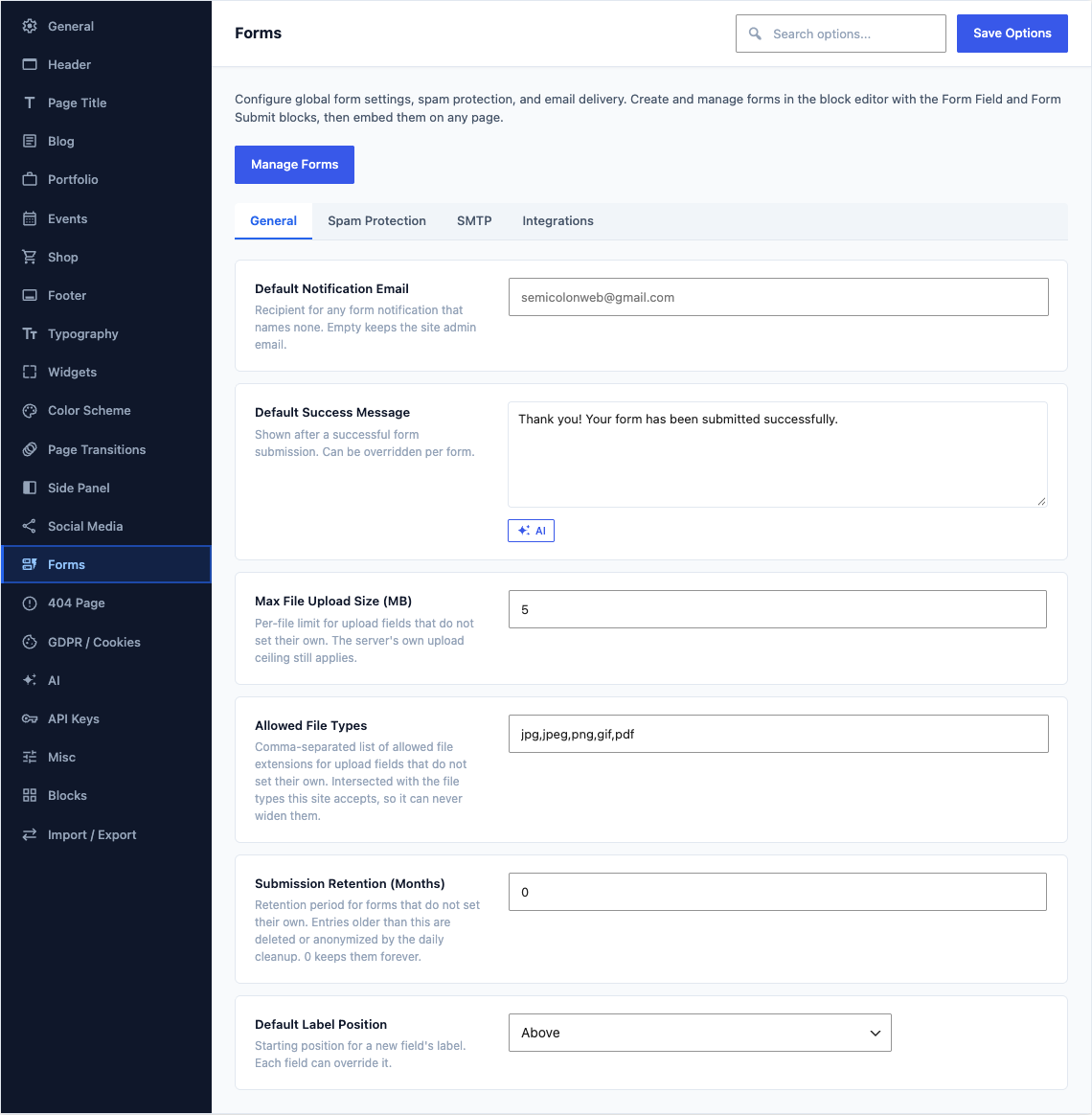
General
This group holds the following settings:
Default Notification EmailDefaultEmpty
Recipient for any form notification that names none. Empty keeps the site admin email.
Default Success MessageDefault
Thank you! Your form has been submitted successfully.Shown after a successful form submission. Can be overridden per form.
Max File Upload Size (MB)Default
5Per-file limit for upload fields that do not set their own. The server's own upload ceiling still applies.
Allowed File TypesDefault
jpg,jpeg,png,gif,pdfComma-separated list of allowed file extensions for upload fields that do not set their own. Intersected with the file types this site accepts, so it can never widen them.
Submission Retention (Months)Default
0Retention period for forms that do not set their own. Entries older than this are deleted or anonymized by the daily cleanup. 0 keeps them forever.
Default Label PositionDefaultAbove
Starting position for a new field's label. Each field can override it.
ChoicesAboveBelowInlineHidden
Spam Protection
This group holds the following settings:
Enable HoneypotDefaultOn
Whether a new form starts with the invisible honeypot spam trap enabled. Each form can override it.
reCAPTCHA v3 Site KeyDefaultEmpty
Google reCAPTCHA v3 site key. Get one from Google reCAPTCHA.
reCAPTCHA v3 Secret KeyDefaultEmpty
Google reCAPTCHA v3 secret key.
reCAPTCHA Score ThresholdDefault
0.5Minimum score (0.0 to 1.0) to pass verification. Default: 0.5. Lower values are more permissive.
hCaptcha Site KeyDefaultEmpty
hCaptcha site key. Get one from the hCaptcha dashboard.
hCaptcha Secret KeyDefaultEmpty
hCaptcha secret key. Without it a returned challenge token cannot be verified and the form is accepted unchallenged.
Cloudflare Turnstile Site KeyDefaultEmpty
Cloudflare Turnstile site key. Get one from the Cloudflare Dashboard.
Cloudflare Turnstile Secret KeyDefaultEmpty
Cloudflare Turnstile secret key.
SMTP
This group holds the following settings:
Use Custom SMTPDefaultOff
Send form notification emails through a custom SMTP server instead of the default WordPress mailer.
SMTP HostDefaultEmpty
SMTP server hostname (e.g., smtp.gmail.com).
Shown when Use Custom SMTP is on
SMTP PortDefault
587Common ports: 25 (plain), 465 (SSL), 587 (TLS).
Shown when Use Custom SMTP is on
EncryptionDefaultTLS
Encryption method for the SMTP connection.
ChoicesNoneSSLTLSShown when Use Custom SMTP is on
SMTP UsernameDefaultEmpty
Authentication username for the SMTP server.
Shown when Use Custom SMTP is on
SMTP PasswordDefaultEmpty
Authentication password for the SMTP server. Stored securely in the database.
Shown when Use Custom SMTP is on
From EmailDefaultEmpty
Default "From" email address for form notifications sent via SMTP.
Shown when Use Custom SMTP is on
From NameDefaultEmpty
Default "From" name for form notifications sent via SMTP.
Shown when Use Custom SMTP is on
Integrations
This group holds the following settings:
Mailchimp API KeyDefaultEmpty
Global Mailchimp API key for form-to-list integrations. Get one from Mailchimp Account Settings.
Custom EndpointDefaultEmpty
Forms without their own endpoint post their submissions here, for a delivery or mail service such as a hosted form API. Submissions are still validated and stored first, so nothing is lost if the service is unreachable.
Endpoint PayloadDefaultField names at the top level
Most hosted form services read each field from the top level. The envelope keeps the submission wrapped with its form and request details.
ChoicesField names at the top levelCanvas envelope (formdatameta)Shown when Custom Endpoint is set
Endpoint HeadersDefaultEmpty
One header per line, for example an API key the service expects. Forms with their own headers keep them.
Shown when Custom Endpoint is set