
404 Page
Configure the 404 error page visitors reach at a URL that does not exist. Style the built-in design, or point it at a page you have designed yourself.
These settings apply to the whole site, so a change here is visible on every page that uses the feature. Find them under Canvas > Theme Options, in the 404 Page tab.
The tab sits in the rail on the left of the screen, with its own panel beside it:
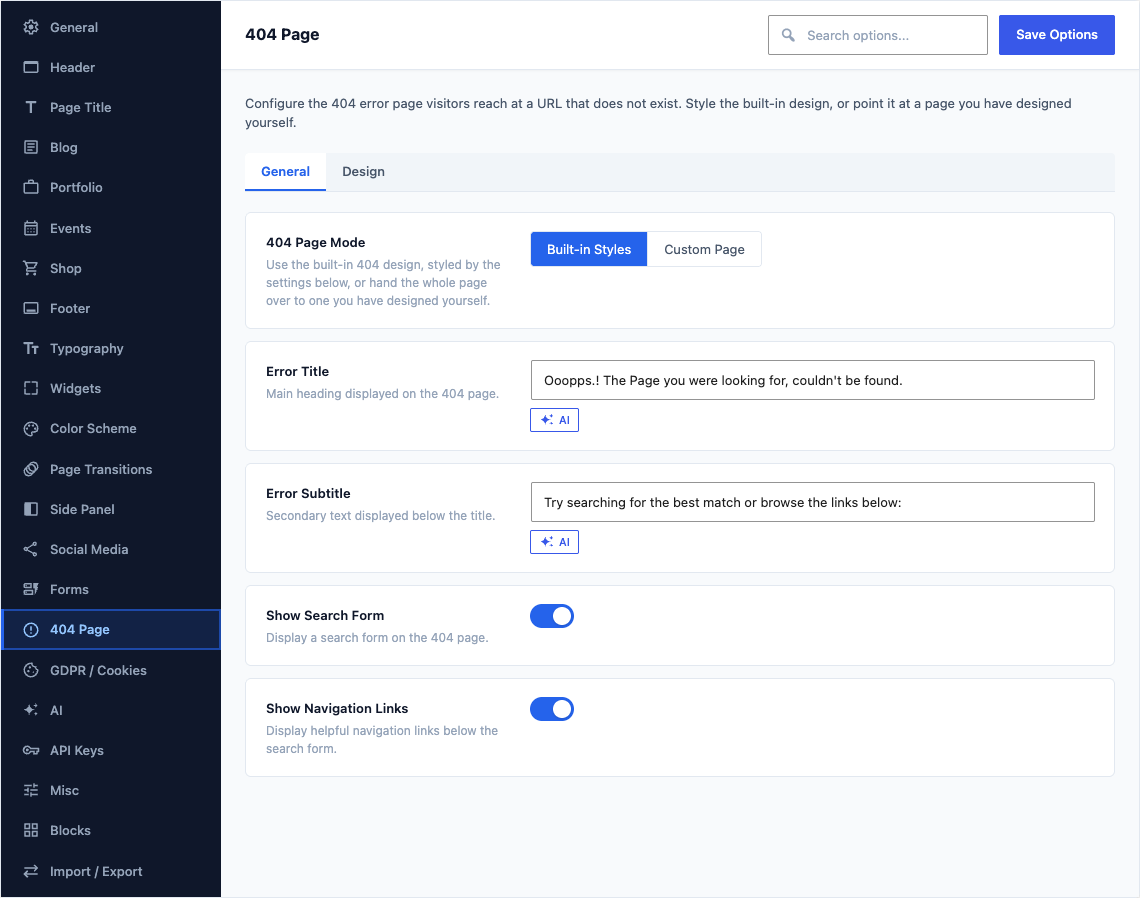
General
This group holds the following settings:
404 Page ModeDefaultBuilt-in Styles
Use the built-in 404 design, styled by the settings below, or hand the whole page over to one you have designed yourself.
ChoicesBuilt-in StylesCustom Page
Custom 404 PageDefaultEmpty
Select any page to use as your 404 error page. Design it with the block editor or any page builder.
Shown when 404 Page Mode is "Custom Page"
Error TitleDefault
Ooopps.! The Page you were looking for, couldn't be found.Main heading displayed on the 404 page.
Shown when 404 Page Mode is "Built-in Styles"
Error SubtitleDefault
Try searching for the best match or browse the links below:Secondary text displayed below the title.
Shown when 404 Page Mode is "Built-in Styles"
Show Search FormDefaultOn
Display a search form on the 404 page.
Shown when 404 Page Mode is "Built-in Styles"
Show Navigation LinksDefaultOn
Display helpful navigation links below the search form.
Shown when 404 Page Mode is "Built-in Styles"
Design
This group holds the following settings:
Background ImageDefaultEmpty
Full-screen background image behind the 404 page content. Recommended size: 1920 × 1080 px.
Shown when 404 Page Mode is "Built-in Styles"
Video URL (MP4)DefaultEmpty
URL to the MP4 video file for the background.
Shown when 404 Page Mode is "Built-in Styles"
Video URL (WebM)DefaultEmpty
Optional WebM fallback for the background video.
Shown when 404 Page Mode is "Built-in Styles"
Video Poster ImageDefaultEmpty
Poster image displayed before the video loads.
Shown when 404 Page Mode is "Built-in Styles" and Video URL (MP4) is set or Video URL (WebM) is set
Overlay ColorDefault
rgba(0,0,0,0.3)Semi-transparent overlay on top of the background image or video.
Shown when 404 Page Mode is "Built-in Styles" and Background Image is set or Video URL (MP4) is set or Video URL (WebM) is set
Color SchemeDefaultEmpty
Light or dark text for the 404 page content.
ChoicesLight (empty)DarkShown when 404 Page Mode is "Built-in Styles"