
GDPR / Cookies
Configure the cookie consent bar and privacy preferences modal.
These settings apply to the whole site, so a change here is visible on every page that uses the feature. Find them under Canvas > Theme Options, in the GDPR / Cookies tab.
The tab sits in the rail on the left of the screen, with its own panel beside it:
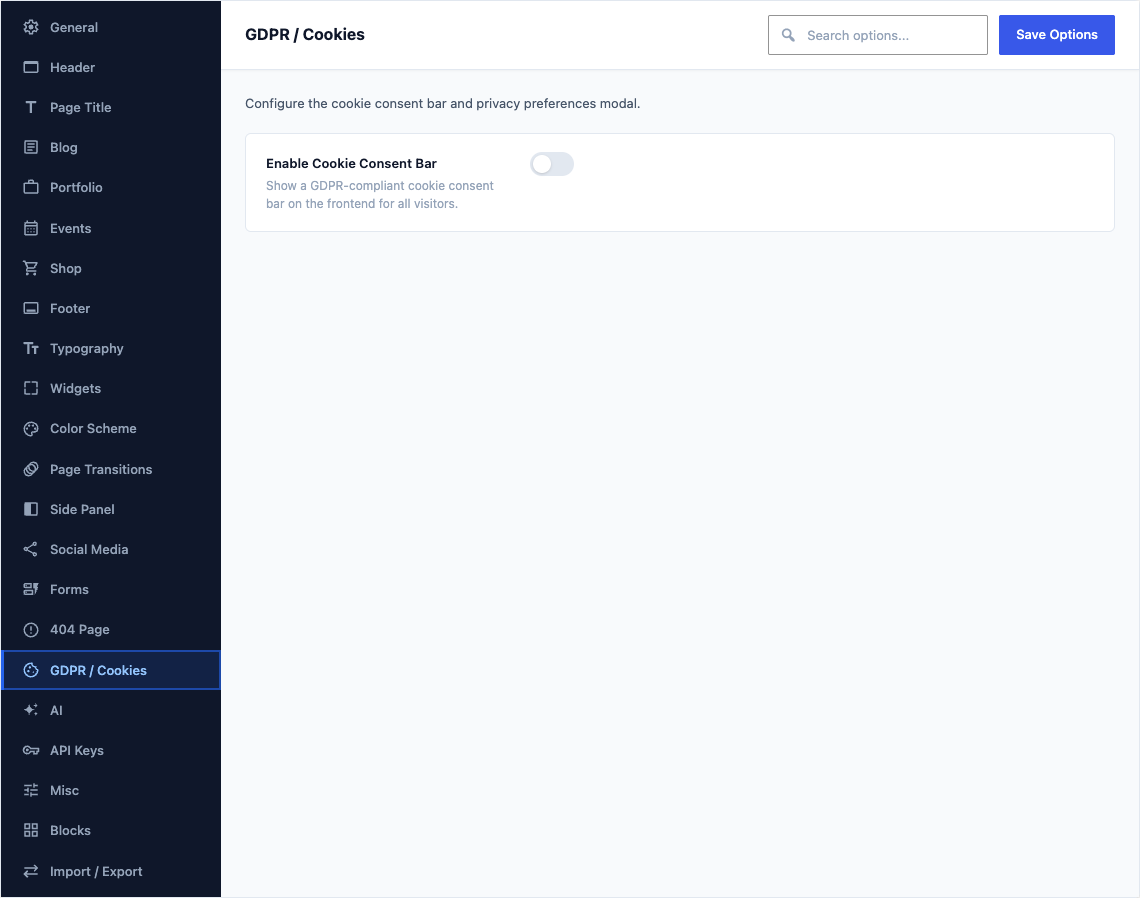
This group holds the following settings:
Enable Cookie Consent BarDefaultOff
Show a GDPR-compliant cookie consent bar on the frontend for all visitors.
Cookie Bar MessageDefault
We use cookies from third party services for marketing activities and to offer you a better experience. Read about how we use cookies and how you can control them by clicking "Privacy Preferences".Main message displayed in the cookie consent bar. HTML is allowed.
Shown when Enable Cookie Consent Bar is on
Accept Button TextDefault
Accept & CloseLabel on the button that accepts cookies and dismisses the bar. Change it to match the wording your privacy policy uses.
Shown when Enable Cookie Consent Bar is on
Preferences Link TextDefault
Privacy PreferencesLabel on the link in the cookie bar that opens the preferences window, where visitors choose which cookie categories to allow.
Shown when Enable Cookie Consent Bar is on
Save Button TextDefault
Save & AcceptText for the save button in the preferences modal.
Shown when Enable Cookie Consent Bar is on
Decline Link TextDefault
Decline CookiesText for the decline link in the preferences modal.
Shown when Enable Cookie Consent Bar is on
Preferences Modal TitleDefault
Privacy PreferencesHeading at the top of the preferences window. It is the first thing a visitor reads before choosing which cookies to allow.
Shown when Enable Cookie Consent Bar is on
Preferences Modal DescriptionDefault
When you visit any website, it may store or retrieve information through your browser, usually in the form of cookies. Since we respect your right to privacy, you can choose not to permit data collection from certain types of services. However, not allowing these services may impact your experience.Introductory text shown at the top of the privacy preferences modal.
Shown when Enable Cookie Consent Bar is on
Bar LayoutDefaultFull Width (Bottom)
Choose the cookie bar size and position.
ChoicesFull Width (Bottom)Small (Bottom Left)Small (Bottom Right)Shown when Enable Cookie Consent Bar is on
Bar StyleDefaultDark
Colour scheme of the cookie bar and its buttons. Pick the one that stays readable over the bottom of your pages.
ChoicesDarkLightShown when Enable Cookie Consent Bar is on
Show Delay (ms)Default
1500Delay in milliseconds before the cookie bar appears. Default: 1500.
Shown when Enable Cookie Consent Bar is on
Cookie Expiry (days)Default
30Number of days before the consent cookie expires and the bar is shown again.
Shown when Enable Cookie Consent Bar is on
Animation Speed (ms)Default
300Speed of the show/hide animation in milliseconds.
Shown when Enable Cookie Consent Bar is on
Cookie CategoriesDefaulta preset list of 4 rows
Define cookie categories shown in the privacy preferences modal. Required categories show a "REQUIRED" label; optional ones show a toggle switch.
Shown when Enable Cookie Consent Bar is on