
Blocks
Enable or disable individual Canvas blocks. Disabling a block removes it from the block editor inserter and stops its frontend assets from loading; existing content that already uses a disabled block will show as an unavailable block instead of rendering.
These settings apply to the whole site, so a change here is visible on every page that uses the feature. Find them under Canvas > Theme Options, in the Blocks tab.
The tab sits in the rail on the left of the screen, with its own panel beside it:
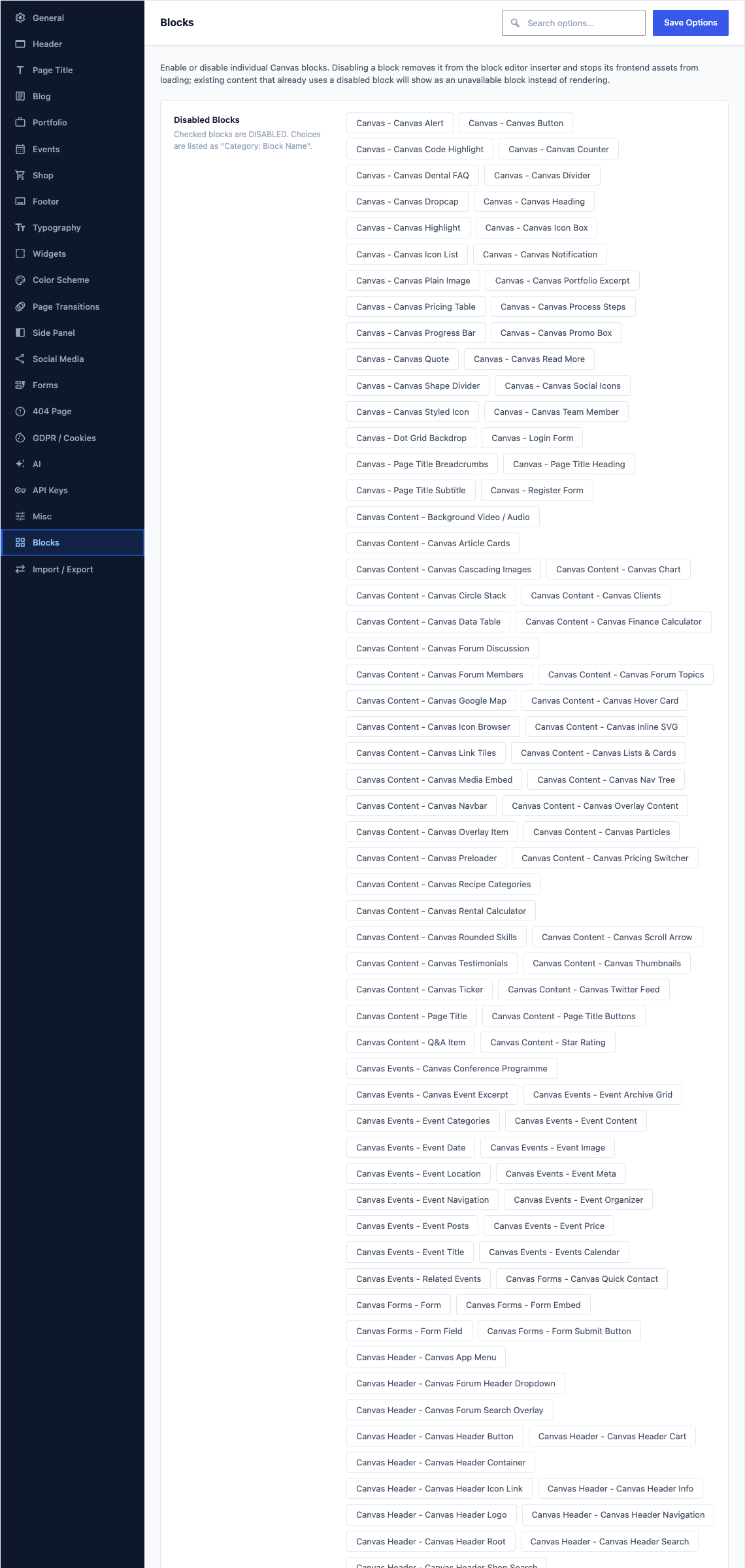
This group holds the following settings:
Disabled BlocksDefaultEmpty
Checked blocks are DISABLED. Choices are listed as "Category: Block Name".
ChoicesCanvas - Canvas AlertCanvas - Canvas ButtonCanvas - Canvas Code HighlightCanvas - Canvas CounterCanvas - Canvas Dental FAQCanvas - Canvas DividerCanvas - Canvas DropcapCanvas - Canvas HeadingCanvas - Canvas HighlightCanvas - Canvas Icon BoxCanvas - Canvas Icon ListCanvas - Canvas Notificationand 268 more