
Portfolio
Configure portfolio archive, single layout, and display settings.
These settings apply to the whole site, so a change here is visible on every page that uses the feature. Find them under Canvas > Theme Options, in the Portfolio tab.
The tab sits in the rail on the left of the screen, with its own panel beside it:
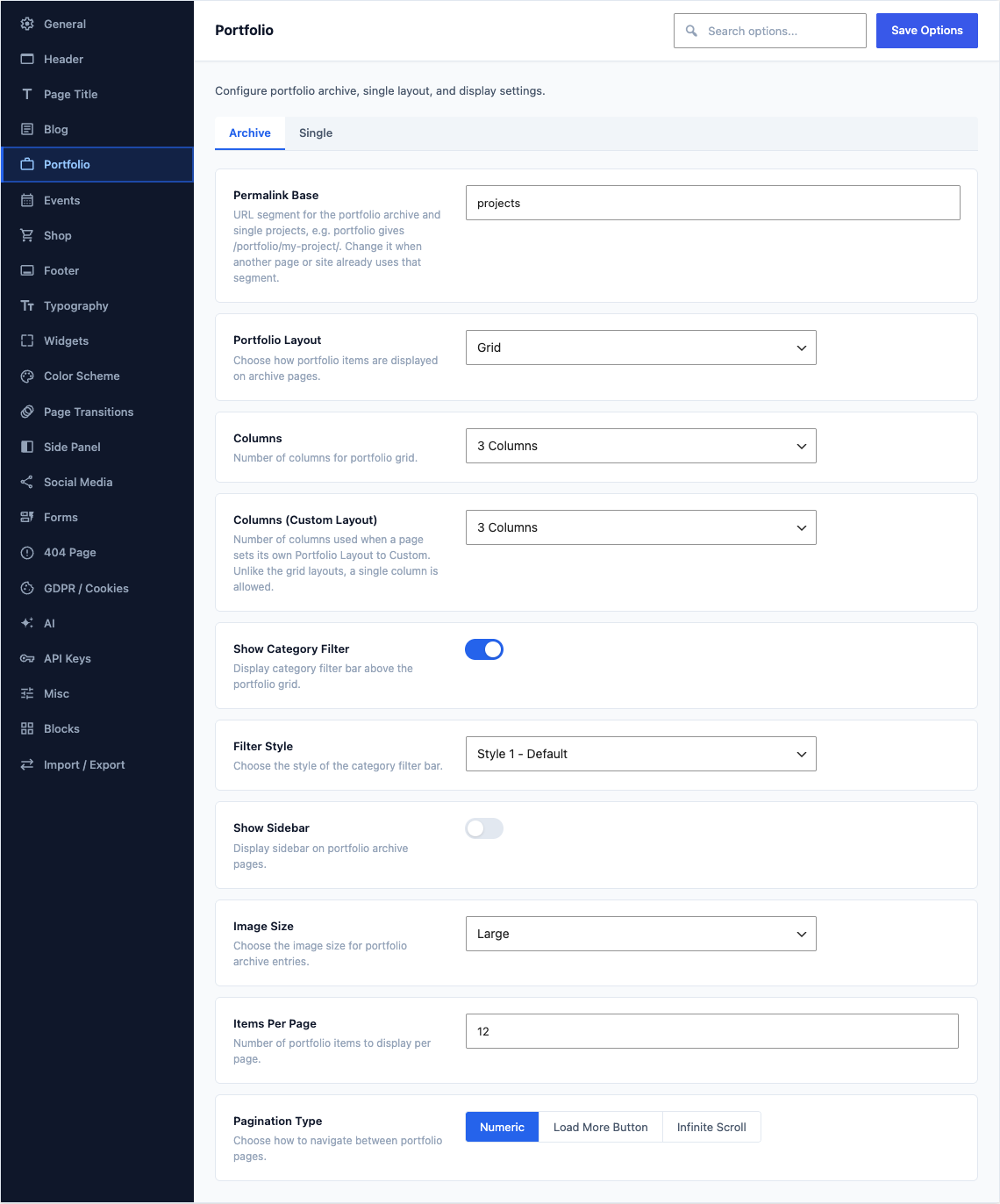
Archive
This group holds the following settings:
Permalink BaseDefault
portfolioURL segment for the portfolio archive and single projects, e.g. portfolio gives /portfolio/my-project/. Change it when another page or site already uses that segment.
Portfolio LayoutDefaultGrid
Choose how portfolio items are displayed on archive pages.
ChoicesGridMasonry
ColumnsDefault3 Columns
Number of columns for portfolio grid.
Choices2 Columns3 Columns4 Columns5 Columns6 Columns
Columns (Custom Layout)Default3 Columns
Number of columns used when a page sets its own Portfolio Layout to Custom. Unlike the grid layouts, a single column is allowed.
Choices1 Column2 Columns3 Columns4 Columns5 Columns6 Columns
Show Category FilterDefaultOn
Display category filter bar above the portfolio grid.
Filter StyleDefaultStyle 1 - Default
Choose the style of the category filter bar.
ChoicesStyle 1 - DefaultStyle 2 - RoundedStyle 3 - Full BorderStyle 4 - Pill ButtonsStyle 5 - MinimalStyle 6 - UnderlineShown when Show Category Filter is on
Show SidebarDefaultOff
Display sidebar on portfolio archive pages.
Sidebar PositionDefaultRight
Choose sidebar position on portfolio archive pages.
ChoicesRightLeftShown when Show Sidebar is on
Image SizeDefaultLarge
Choose the image size for portfolio archive entries.
ChoicesMediumMedium LargeLargeFull
Items Per PageDefault
12Number of portfolio items to display per page.
Pagination TypeDefaultNumeric
Choose how to navigate between portfolio pages.
ChoicesNumericLoad More ButtonInfinite Scroll
Single
This group holds the following settings:
Single Portfolio LayoutDefaultDefault (Sidebar)
Choose the layout variant for single portfolio items.
ChoicesDefault (Sidebar)Full Width
Show SidebarDefaultOn
Display sidebar on single portfolio pages.
Shown when Single Portfolio Layout is "Default (Sidebar)"
Sidebar PositionDefaultRight
Choose sidebar position on single portfolio pages.
ChoicesRightLeftShown when Show Sidebar is on
Show Project DetailsDefaultOn
Display project meta (client, date, skills, URL) on single portfolio pages.
Show Related ProjectsDefaultOn
Display related portfolio items on single portfolio pages.
Related Projects CountDefault
4Number of related portfolio items to display.
Shown when Show Related Projects is on
Related Projects ColumnsDefault4 Columns
Number of columns for related projects grid.
Choices2 Columns3 Columns4 ColumnsShown when Show Related Projects is on
Show Portfolio NavigationDefaultOn
Display previous/next portfolio item navigation.
Show CommentsDefaultOff
Display the comments section on single portfolio items.