
Page Transitions
Configure page loading transitions with animated loaders and entrance effects.
These settings apply to the whole site, so a change here is visible on every page that uses the feature. Find them under Canvas > Theme Options, in the Page Transitions tab.
The tab sits in the rail on the left of the screen, with its own panel beside it:
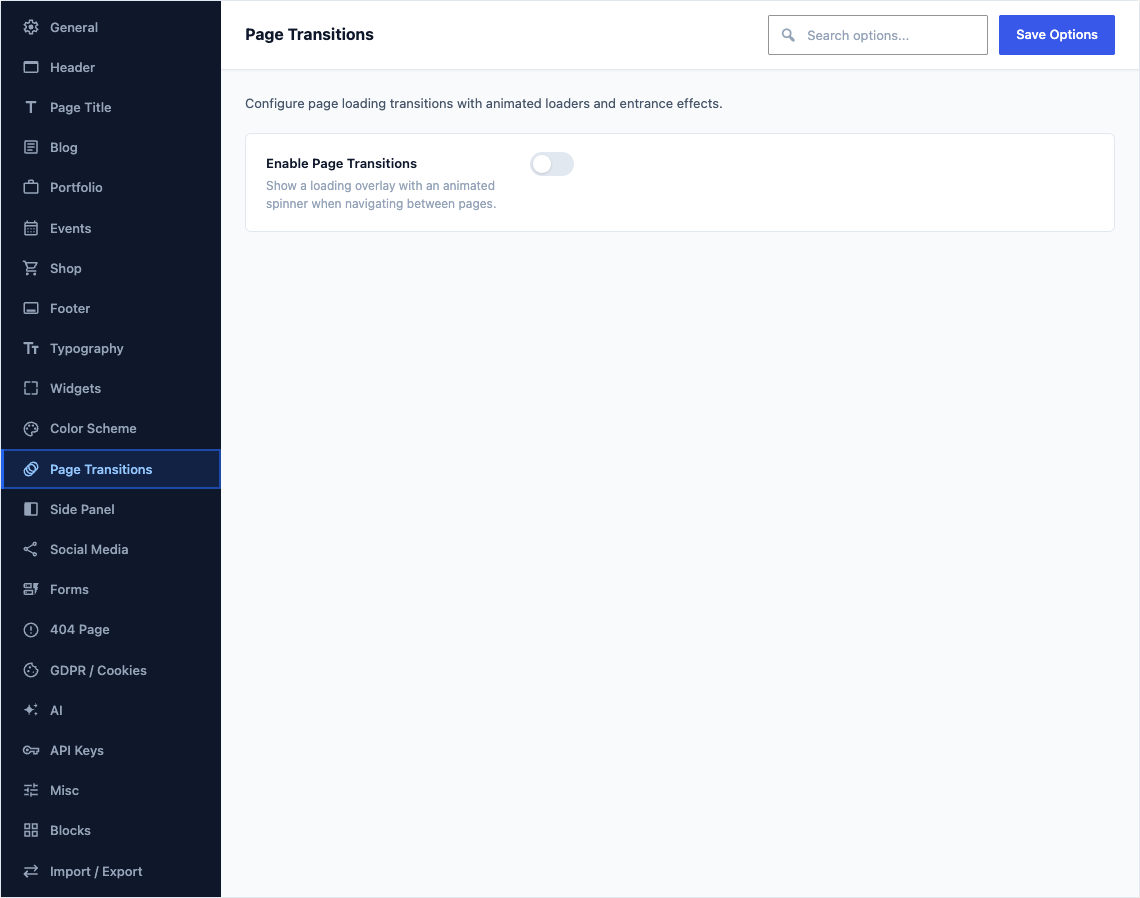
This group holds the following settings:
Enable Page TransitionsDefaultOff
Show a loading overlay with an animated spinner when navigating between pages.
Loader StyleDefault1 - Bouncing Dots
Choose the animated spinner shown during page transitions.
Choices1 - Bouncing Dots2 - Flipper3 - Double Bounce4 - Wave Bars5 - Wandering Cubes6 - Pulse7 - Grid Pulse8 - Clip Rotate9 - Ball Rotate10 - Zig Zag11 - Triangle Path12 - Ball Scaleand 3 moreShown when Enable Page Transitions is on
Custom Preloader HTMLDefaultEmpty
Enter custom HTML for your preloader. This replaces the built-in spinner inside the .css3-spinner wrapper.
Shown when Enable Page Transitions is on and Loader Style is "Custom Preloader"
Entrance AnimationDefaultFade In
How the page content arrives once the loader has finished. A gentle fade keeps the arrival calm, while a slide gives the page a sense of direction.
ChoicesFade InFade In DownFade In UpFade In LeftFade In RightZoom InSlide In UpSlide In DownSlide In LeftSlide In RightBounce InRotate Inand 5 moreShown when Enable Page Transitions is on
Animation Speed (ms)DefaultEmpty
Duration of the entrance animation in milliseconds. Leave empty for the default (1000ms).
Shown when Enable Page Transitions is on
Loader ColorDefaultEmpty
Color of the animated spinner. Leave empty for the default theme color.
Shown when Enable Page Transitions is on
Overlay Background ColorDefaultEmpty
Background color of the full-screen loader overlay. Leave empty for the default body background.
Shown when Enable Page Transitions is on
Loader Timeout (ms)DefaultEmpty
Force-hide the loader after this many milliseconds, even if the page hasn't finished loading. Leave empty to disable.
Shown when Enable Page Transitions is on
Disable on MobileDefaultOff
Skip page transitions on touch devices (phones, tablets) for faster navigation.
Shown when Enable Page Transitions is on