
Events
Configure event archive, single layout, and display settings.
These settings apply to the whole site, so a change here is visible on every page that uses the feature. Find them under Canvas > Theme Options, in the Events tab.
The tab sits in the rail on the left of the screen, with its own panel beside it:
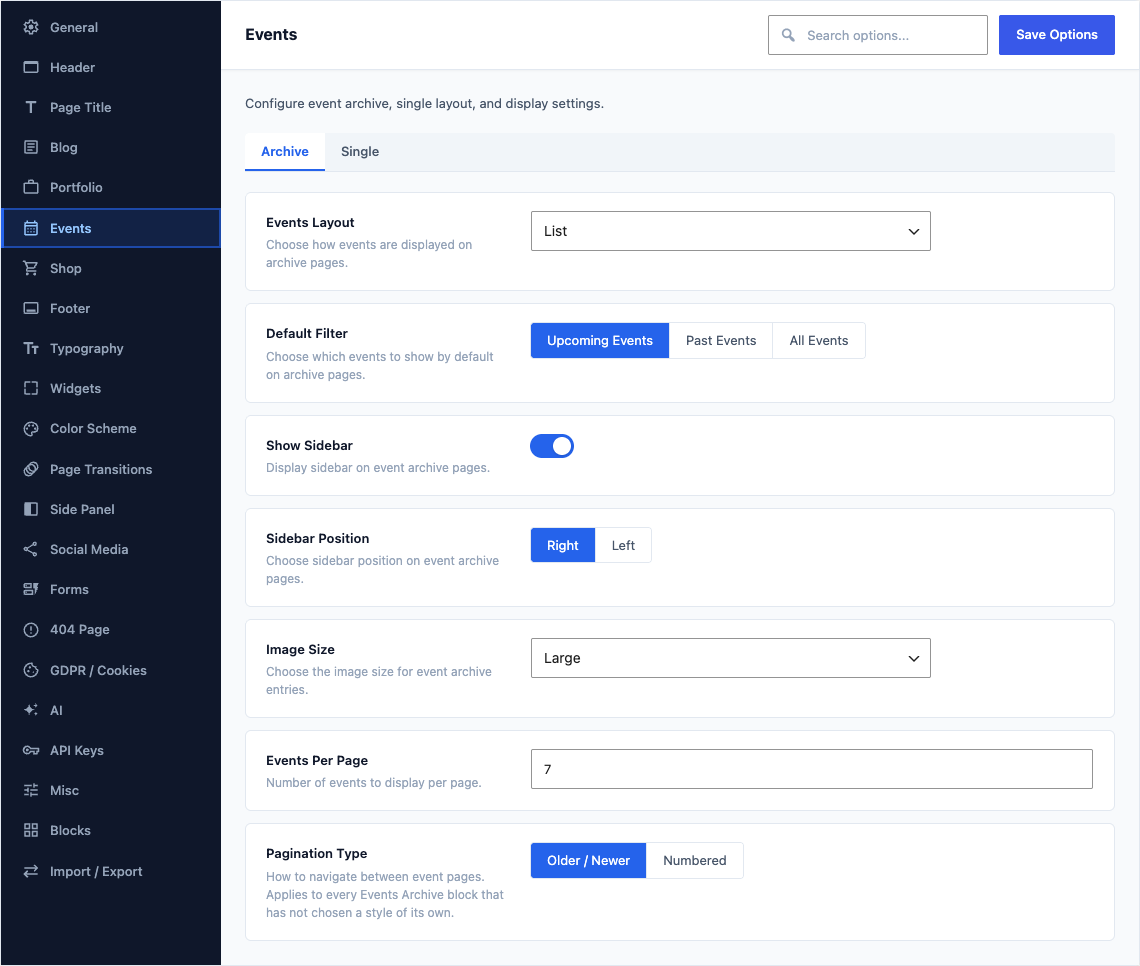
Archive
This group holds the following settings:
Events LayoutDefaultList
Choose how events are displayed on archive pages.
ChoicesListGrid
ColumnsDefault3 Columns
Number of columns for events grid.
Choices2 Columns3 Columns4 ColumnsShown when Events Layout is not "List"
Default FilterDefaultUpcoming Events
Choose which events to show by default on archive pages.
ChoicesUpcoming EventsPast EventsAll Events
Show SidebarDefaultOn
Display sidebar on event archive pages.
Sidebar PositionDefaultRight
Choose sidebar position on event archive pages.
ChoicesRightLeftShown when Show Sidebar is on
Image SizeDefaultLarge
Choose the image size for event archive entries.
ChoicesMediumMedium LargeLargeFull
Events Per PageDefault
10Number of events to display per page.
Pagination TypeDefaultOlder / Newer
How to navigate between event pages. Applies to every Events Archive block that has not chosen a style of its own.
ChoicesOlder / NewerNumbered
Single
This group holds the following settings:
Default Single Event LayoutDefaultDefault (Sticky Info Column)
The layout an event uses when no template is chosen for it in the editor. A per-event choice always wins.
ChoicesDefault (Sticky Info Column)Left SidebarRight SidebarBoth SidebarsFull Width - Parallax ImageFull Width - MapFull Width - SliderFull Width - Video
Show Event InfoDefaultOn
Display event info sidebar (date, location, organizer, price).
Show Location MapDefaultOn
Display a Google Maps embed for the event location.
Show Related EventsDefaultOn
Display related events on single event pages.
Related Events CountDefault
3Number of related events to display.
Shown when Show Related Events is on
Show Event NavigationDefaultOn
Display previous/next event navigation.
Show Social ShareDefaultOn
Display social sharing buttons on single event pages.